
Dashboard and logging
Dashboard
Once running, open http://localhost:8001 for the live dashboard. A health check is at http://localhost:8001/ping.
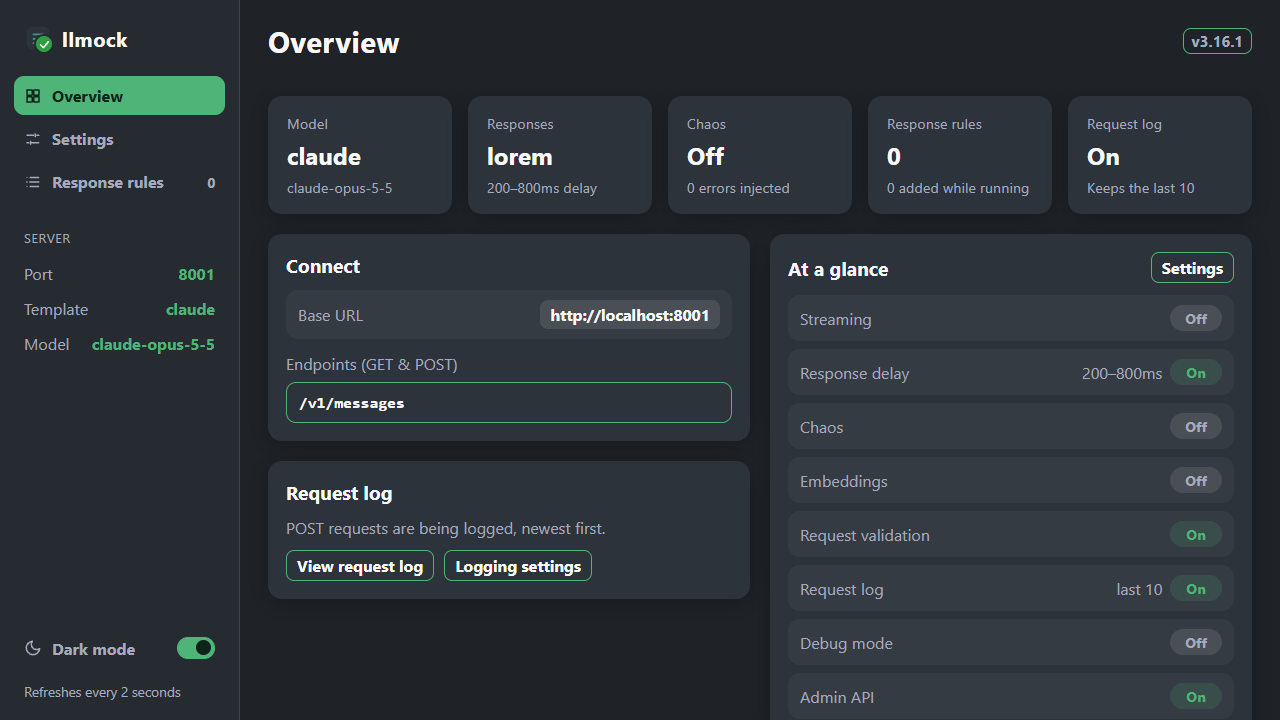
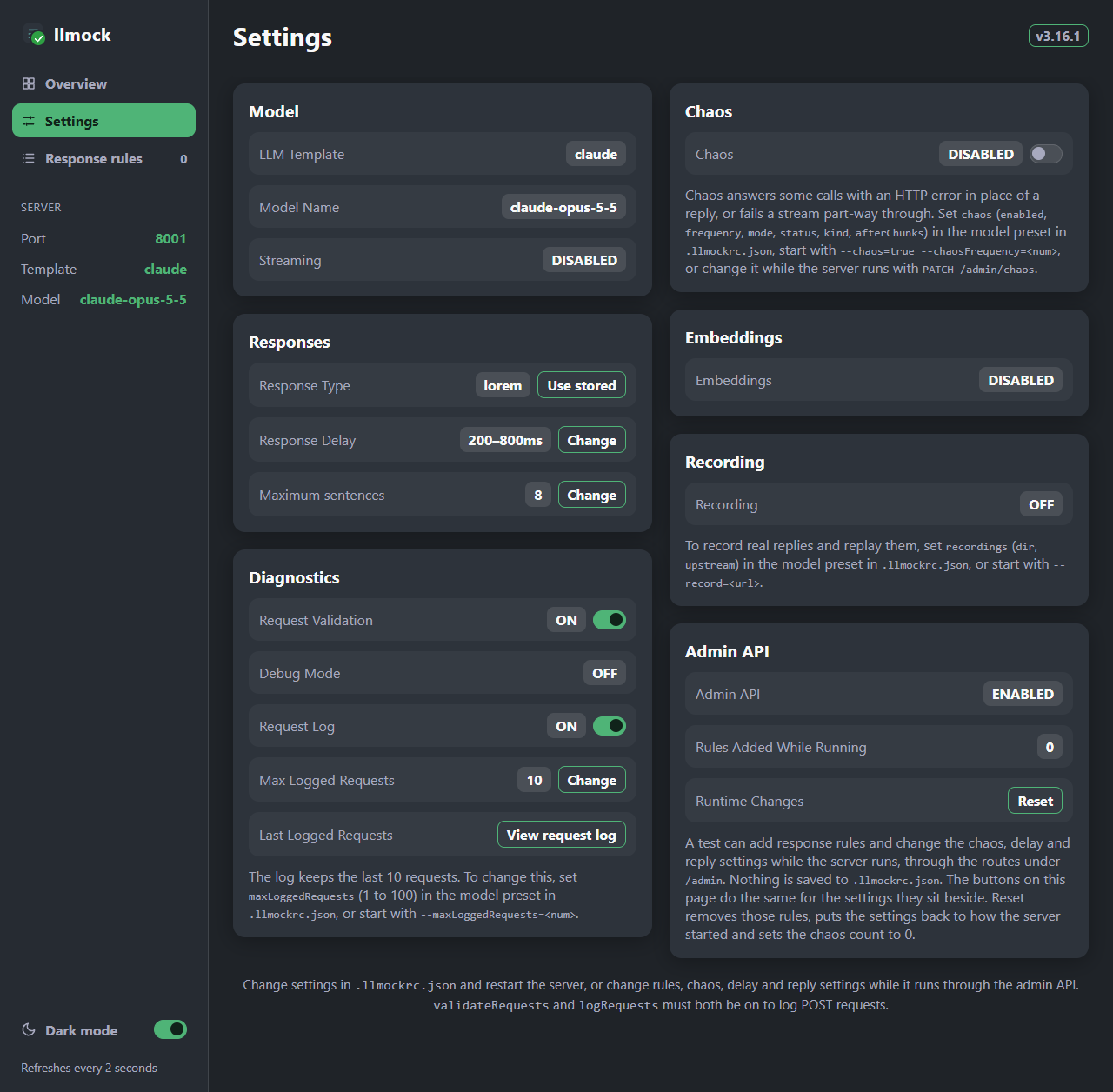
- Settings shows the configuration in use. While the admin API is on, you can change values here on the running server; changes are not saved, and Reset or a restart puts them back.
- Response rules lists the preset's
responseRules; click a file or text entry to read the reply. Rules added through the admin API are marked runtime. - The Dark mode switch in the sidebar changes the colours for your browser. To change the default, set
"uiTheme": "light"in theserverblock, start with--uiTheme=light, or set theUI_THEME=lightenvironment variable.
Available endpoints
| Endpoint | Description |
|---|---|
Configurable (default: /chatgpt/chat/completions) | Chat completions |
/v1/messages (with the claude preset) | Anthropic Messages API |
/v1/responses, and /<prefix>/responses beside a /<prefix>/chat/completions endpoint (with an openai preset) | OpenAI Responses API |
/v1/embeddings | OpenAI-compatible mock embeddings |
Request validation
Validate incoming requests against templates to confirm API compatibility:
- Enable validation:
"validateRequests": true - For a provider that is not built in, add a template to the
request-templates/folder (see Template locations)
A request passes when it contains every top-level key of the template. The built-in templates require model and messages (OpenAI), contents (Gemini), model, max_tokens and messages (Claude), and model and input (the OpenAI Responses API, template openai_responses_req.json). Invalid requests return a 400; the missing keys are shown under View request log on the dashboard.
Only those keys are checked, not what is inside them, so every request of a tool loop passes: a tools list, assistant turns of tool_use blocks, and user turns of tool_result blocks (with string or block content, and is_error).
Request logging
Enable with "logRequests": true and view the most recent requests, newest first, with View request log on the dashboard (as JSON at http://localhost:8001/ui-request-log). The viewer shows one request at a time with Back and Next, and Clear logs empties the log after asking you to confirm. The log keeps the last 10 requests; set "maxLoggedRequests" (or --maxLoggedRequests=<num>) to keep between 1 and 100. Each entry's request_id is the x-llmock-request-id header sent back with that request's reply, so a call your client or a proxy recorded can be found in the log. The log file holds those requests only, at:
| Platform | Log location |
|---|---|
| Windows | C:\Users\{name}\AppData\Local\llm-mock-nodejs\Log\ |
| macOS | ~/Library/Logs/llm-mock-nodejs/ |
| Linux | ~/.local/state/llm-mock-nodejs/ |
Debug mode
Enable verbose console output to see incoming request details, validation results, response generation steps, and timing:
llmock start --debug=true